Table of Contents
ToggleVirtual reality has moved from science fiction to living rooms across the globe. Millions of people now use VR headsets for gaming, fitness, education, and social experiences. But getting started with virtual reality can feel overwhelming for newcomers. This guide breaks down everything beginners need to know, from essential equipment to setup tips, so they can jump into immersive experiences with confidence. Whether someone wants to explore virtual worlds, work out in VR, or simply try something new, understanding the basics makes all the difference.
Key Takeaways
- Getting started with virtual reality requires a VR headset, controllers, sufficient play space, and a stable internet connection.
- Standalone VR headsets like the Meta Quest 3 offer the best balance of price, convenience, and content for beginners starting around $300.
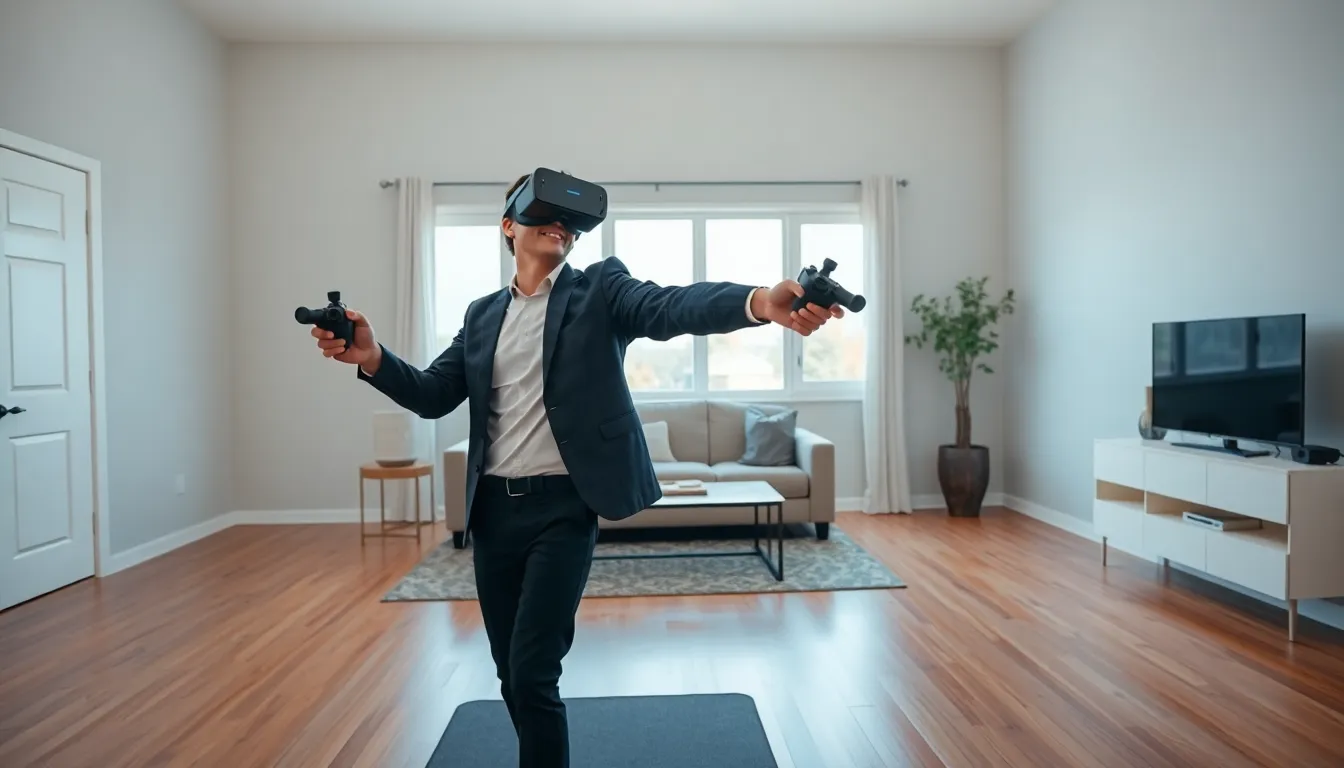
- Set up a safe VR space by clearing a 6.5 x 6.5 foot area, removing obstacles, and configuring your headset’s guardian boundary system.
- First-time virtual reality users should start with 15-20 minute sessions and beginner-friendly games like Beat Saber or Job Simulator.
- Remove your headset immediately if you experience motion sickness symptoms—pushing through will only make it worse.
- Properly adjust your headset’s strap tightness, lens position, and IPD settings for a comfortable and clear VR experience.
What You Need To Experience Virtual Reality
Virtual reality requires a few key components to work properly. The most important piece of equipment is the VR headset itself. This device displays 3D images and tracks head movements to create an immersive experience.
Beyond the headset, users typically need:
- Controllers: Most VR systems include handheld controllers that let users interact with virtual environments. These track hand movements and provide buttons for various actions.
- Sufficient space: VR experiences range from seated activities to full-room exploration. Users should have at least a clear 6.5 x 6.5 foot area for active games.
- Compatible hardware: Standalone headsets like the Meta Quest 3 work independently. PC-based virtual reality systems require a powerful computer with a capable graphics card.
- A stable internet connection: Many VR apps and games need to download content or connect to online servers.
Some virtual reality setups also benefit from additional accessories. Comfort straps reduce pressure during long sessions. Prescription lens inserts help glasses wearers. And rechargeable battery packs extend playtime beyond the standard 2-3 hours most headsets offer.
The good news? Entry into virtual reality has never been more accessible. Standalone headsets start around $300, and they include everything needed to begin.
Choosing The Right VR Headset For Your Needs
Selecting the right VR headset depends on budget, intended use, and technical preferences. The market offers three main categories of virtual reality devices.
Standalone VR Headsets
Standalone headsets contain all necessary processing power inside the device. They don’t require a PC or phone to operate. The Meta Quest 3 leads this category with strong performance, a vast game library, and a reasonable price point. These headsets work great for beginners who want simple setup and wireless freedom.
PC-Connected VR Headsets
PC VR headsets plug into a gaming computer to deliver higher-quality graphics and more demanding experiences. Options like the Valve Index and HP Reverb G2 appeal to enthusiasts who already own capable PCs. Virtual reality through a computer offers better visual fidelity but costs more overall.
Console VR Systems
PlayStation VR2 connects exclusively to PlayStation 5. This option suits gamers who already own Sony’s console and want access to exclusive VR titles.
Key factors to consider when choosing:
| Factor | Budget Option | Mid-Range | Premium |
|---|---|---|---|
| Price | $200-300 | $300-500 | $500-1000+ |
| Display quality | Good | Very good | Excellent |
| Game library | Varies | Large | Platform-dependent |
| Setup complexity | Easy | Easy-Moderate | Moderate |
For most beginners, a standalone headset offers the best balance of price, convenience, and content. Users can always upgrade later as they discover what types of virtual reality experiences they enjoy most.
Setting Up Your VR Space At Home
A proper VR space prevents accidents and improves the overall experience. Setting up virtual reality at home takes about 15-30 minutes for most systems.
Step 1: Choose your play area
Find a room or section of a room with minimal furniture. The space should have:
- Flat flooring (avoid rugs that could cause tripping)
- No ceiling fans or low-hanging lights
- Distance from windows, TVs, and breakable items
- Good lighting for headset tracking
Step 2: Clear the boundaries
Remove or push back any objects within your play zone. Coffee tables, floor lamps, and pet beds are common hazards. Even small obstacles become dangerous when someone can’t see them.
Step 3: Set up your guardian system
Most VR headsets include a guardian or boundary system. This feature creates a virtual wall that appears when users approach the edge of their safe zone. Users walk around their space during initial setup while the headset maps the boundaries.
Step 4: Optimize your environment
Virtual reality tracking works best in evenly-lit rooms. Avoid direct sunlight on the headset sensors. Mirrors and reflective surfaces can confuse tracking systems, so cover or angle them away from the play area.
Step 5: Prepare for comfort
Keep a fan nearby, VR can get warm. Place a small rug or mat in the center of your space as a tactile reference point. This helps users stay oriented without looking down.
Once setup is complete, the VR system saves the configuration. Users won’t need to repeat this process unless they move to a different room.
Essential Tips For First-Time VR Users
First-time virtual reality users should follow several practices to ensure a positive experience. VR affects everyone differently, and these tips help minimize common issues.
Start with short sessions
Begin with 15-20 minute sessions and gradually increase duration. Many newcomers feel disorientation or mild nausea during their first few times in VR. This typically fades as the brain adjusts to virtual environments.
Choose beginner-friendly content
Not all VR experiences suit newcomers. Start with stationary or slow-paced content before trying fast action games. Beat Saber, Job Simulator, and Moss make excellent first choices. Racing games and intense first-person shooters can wait.
Take breaks immediately if you feel unwell
Motion sickness in virtual reality is real and can intensify quickly. If dizziness, sweating, or nausea starts, remove the headset and rest. Pushing through usually makes symptoms worse.
Adjust the headset properly
A poorly fitted headset causes discomfort and blurry visuals. Spend time adjusting:
- Strap tightness (firm but not squeezing)
- Vertical position (lenses should align with eyes)
- IPD setting (distance between lenses to match eye spacing)
Stay hydrated and aware
VR workouts and active games burn real calories. Users should drink water and remain aware of their physical state. The immersion makes it easy to forget about the real body.
Keep your play area clear, always
Double-check the space before each session. Pets wander in, family members leave items behind, and furniture shifts. A quick scan prevents most VR injuries.
Virtual reality opens doors to experiences impossible in the physical world. Taking time to learn proper habits from the start leads to safer and more enjoyable sessions.